Fillout is fast to start.WorkForm scales with you.
Fillout excels at quick, Notion-style forms. WorkForm adds a visual workflow engine, AI adaptive questions, A/B testing, and enterprise-grade analytics — without sacrificing ease of use.
Why teams outgrow Fillout for WorkForm
Same speed to launch — more depth when your forms get serious
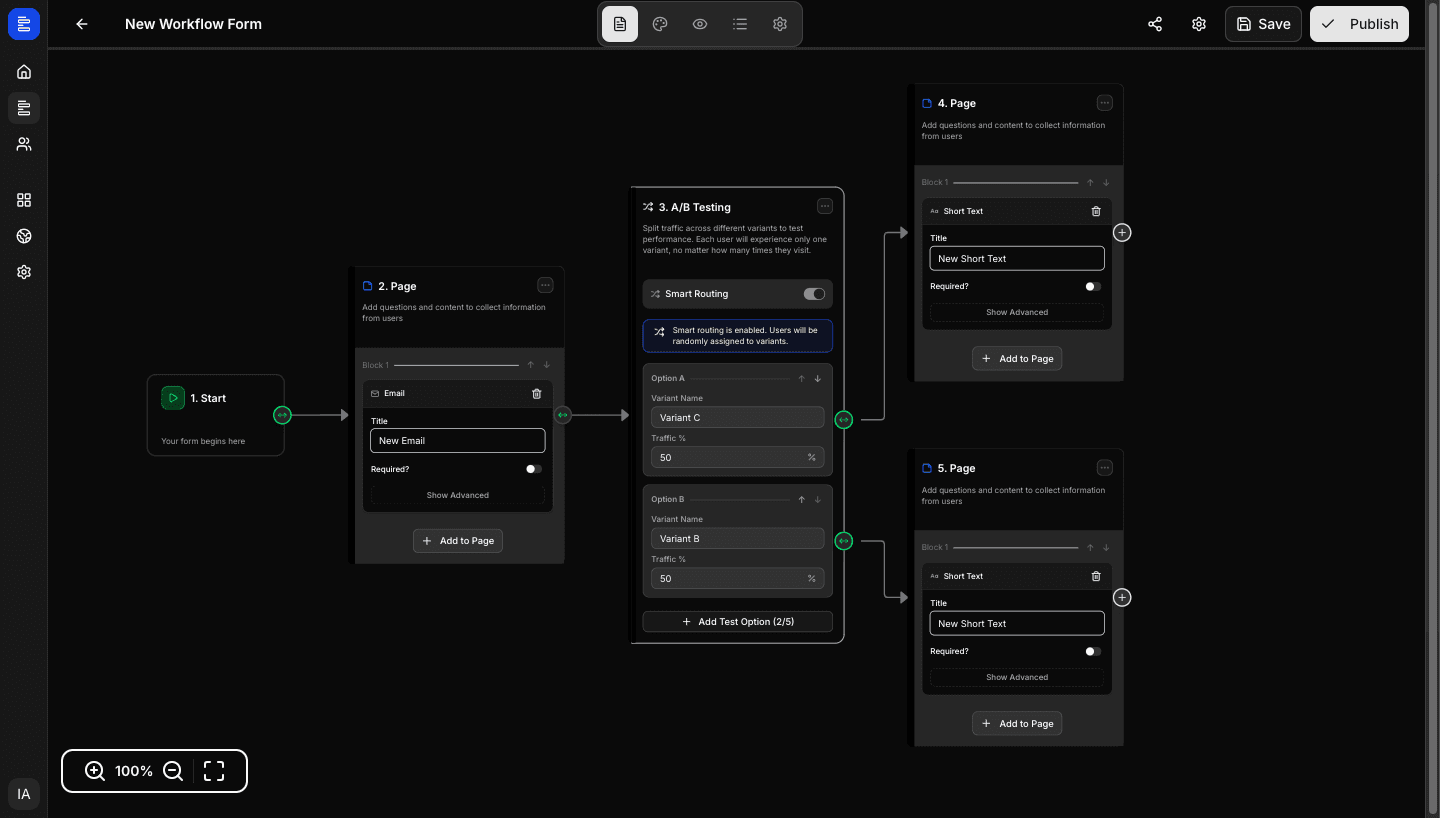
Fillout supports basic logic. WorkForm offers a visual workflow editor with nested conditions, A/B test nodes, AI question nodes, and unlimited branching paths.
WorkForm's AI Question nodes generate context-aware follow-ups during the session — not just at build time.
See exactly which questions lose respondents. Optimise completion rates with data, not guesswork.
Collect Stripe payments, generate PDFs, and capture e-signatures without stitching together external tools.
Test form variants natively in your workflow — no external experiment tools required.
Brand your forms with your own domain starting on WorkForm's Starter plan.
WorkForm vs Fillout: full comparison
Every feature that matters, compared honestly
Data based on publicly available information as of 2026. Subject to change.
Ready for more than Fillout?
Start free. Upgrade only when you need advanced workflows.
More comparisons
See how WorkForm stacks up against other form builders
Full listicle with 10+ tools compared — including pricing tables and use-case recommendations.
Read the guide