studio.getworkform.com
How domains work
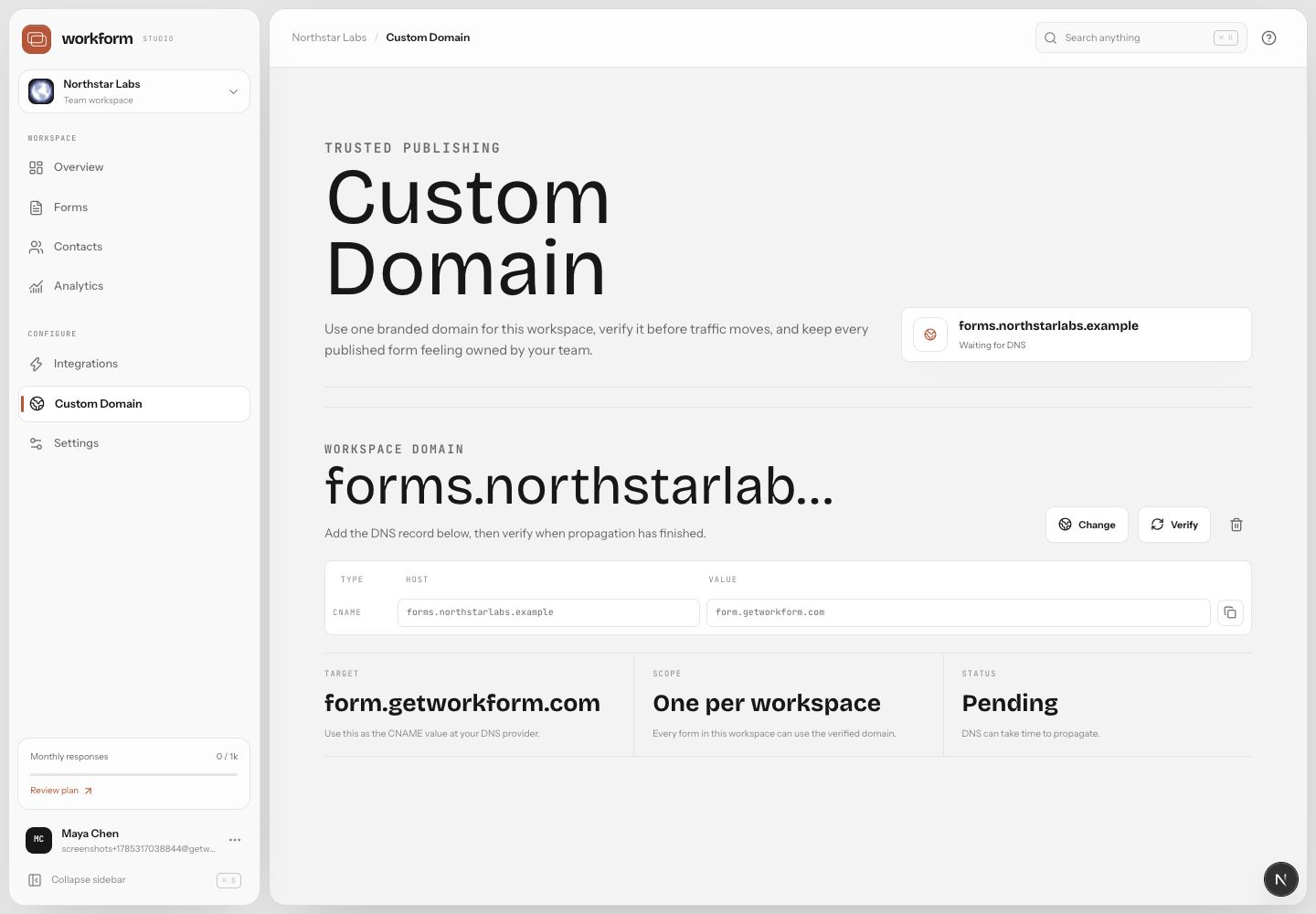
Custom domains let respondents open WorkForm experiences from a URL your team owns, such as forms.example.com. Domain management lives in the Custom Domain area of the Studio sidebar.
Connect a domain
- Go to Custom Domain in Studio.
- Add the domain or subdomain you want to use.
- Copy the DNS records WorkForm provides.
- Add those records at your DNS host.
- Return to WorkForm and wait for verification.
- Assign the domain to the forms that should use it.
Troubleshooting DNS
- Use a subdomain like forms.yourcompany.com if your apex domain already hosts your website.
- DNS changes can take time to propagate.
- Remove conflicting records for the same host name.
- Check for proxy settings at your DNS provider if verification stalls.